MP4toSprite
A downloadable tool for Windows
MP4toSprite — Bridging AI Videos to Pixel Sprite Sheets
This is the Supporter Edition.
If you want to try the free demo first, you can find it here. : https://yewlark.itch.io/mp4tospritefree
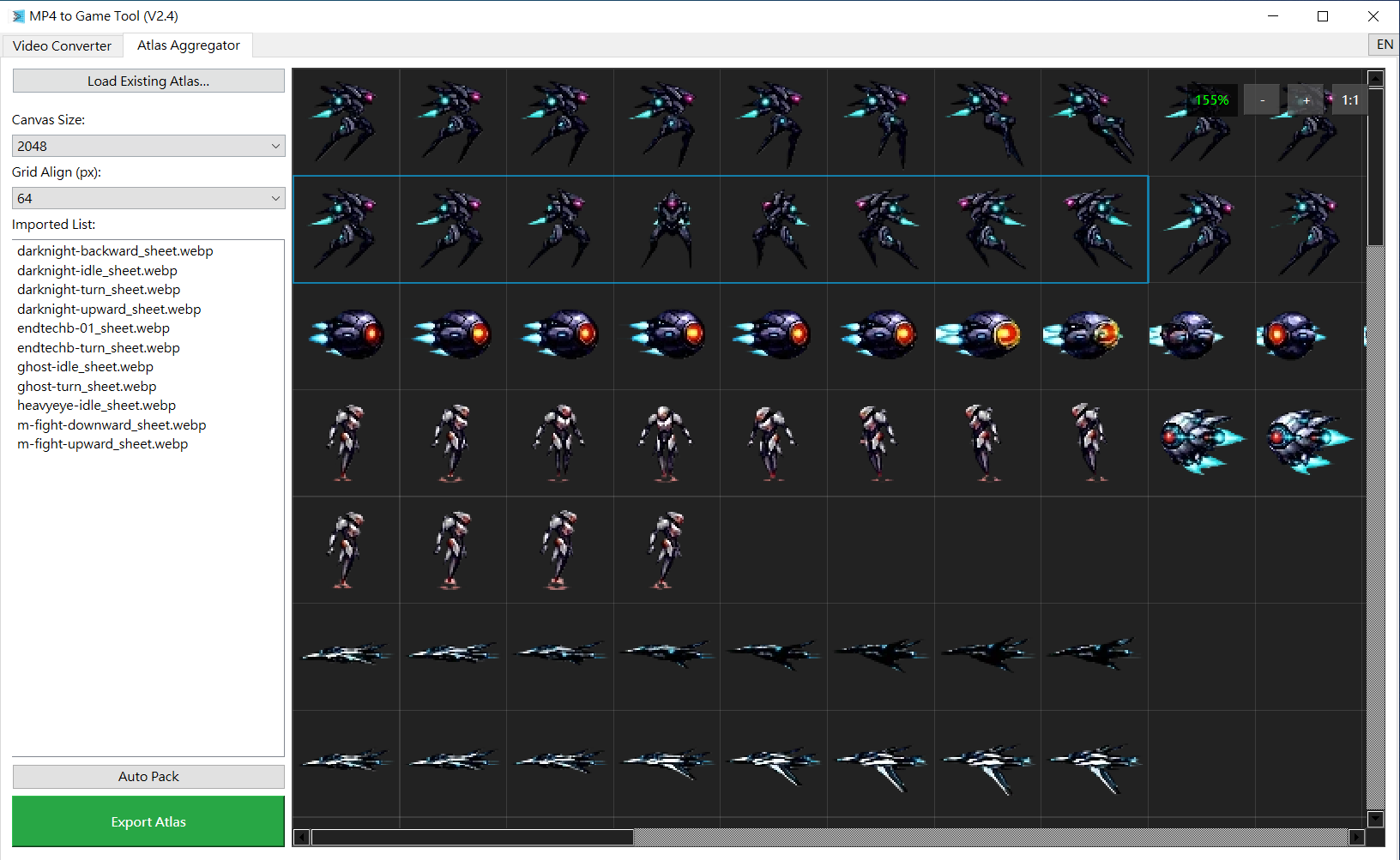
Atlas packing : edit existing sprite:
📖 A Developer’s Honest Note: Why I Made This Tool
Hi! I’m an indie game developer.
I tried using different AI models to generate sprite sheets directly, but the results were often disappointing: inconsistent motion, unstable style, or outputs that were simply unusable. I realized that, at this stage, asking AI to generate a perfect continuous sprite sheet directly is still very difficult.
So I tried another approach: generate short videos with AI first, then extract the frames I need from the video. That solved the motion continuity issue, but it still required a lot of manual work, frame by frame, removing backgrounds, and handling semi-transparent effects. These repetitive tasks took too much time and kept me away from actually making games.
So, to save my own development time, I built MP4toSprite.
This is not commercial software from a big company. It’s a small tool made by a developer, for developers. Now, no matter which video generation AI you use, you can pair it with this tool to quickly and easily turn animated videos into game-ready sprite sheets.
✨ Core Features: Solving the Common Pain Points of AI Videos
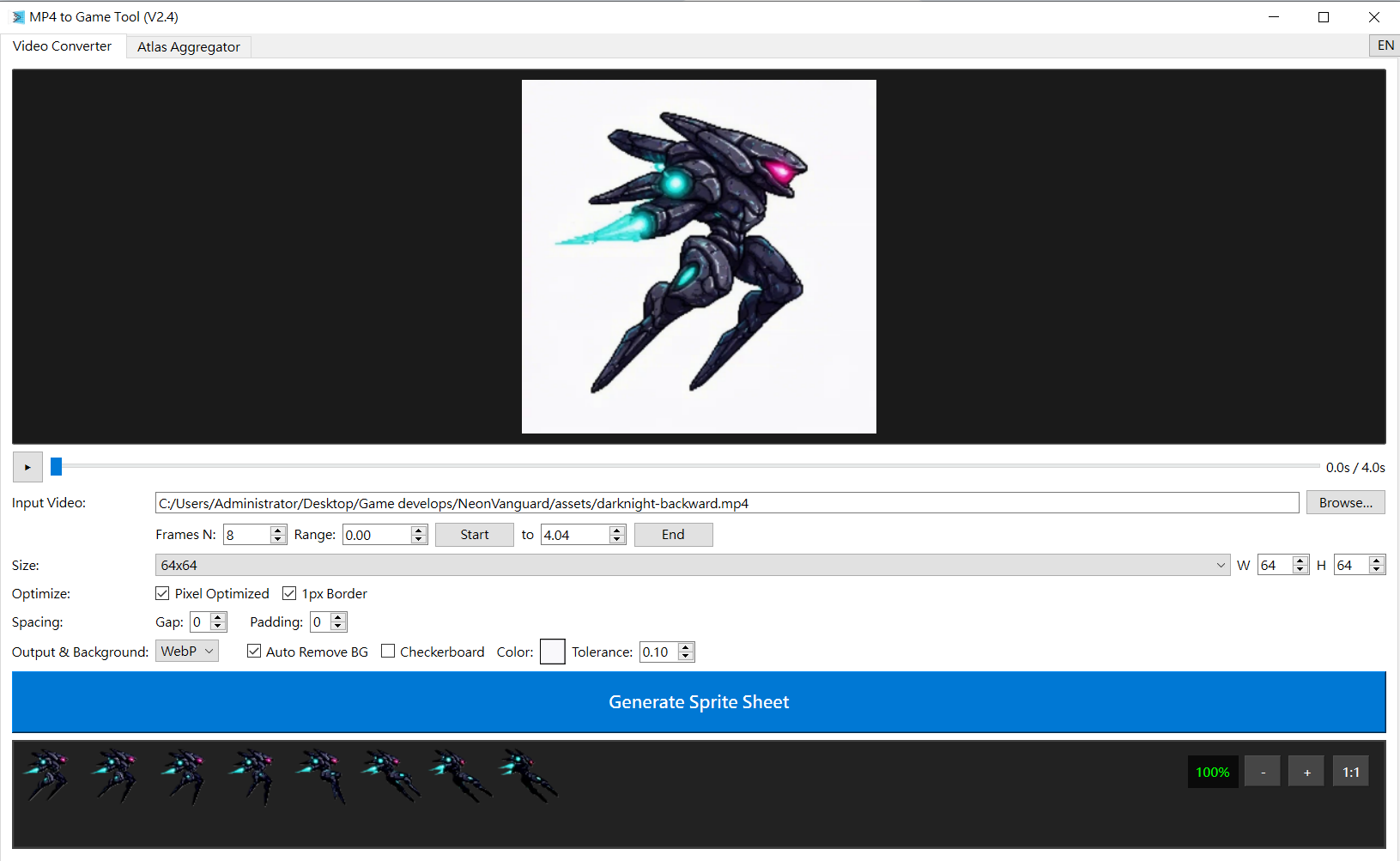
- Smart Background Removal (Magic Wand+): Optimized for common checkerboard backgrounds in AI-generated videos.
- Pixel Art Optimization (Pixel Art Filter): Built-in median filtering and non-dither quantization to turn high-resolution videos into clean, pixel-style sprite sheets.
- Alpha Preservation: Handles semi-transparent glowing effects such as fire, lasers, and smoke instead of leaving harsh edges.
- Automatic Atlas Assembly (Aggregator): Supports grid snapping, auto layout, and loading old JSON progress files so you can continue editing without manual alignment.
- Engine-Friendly Output: Includes a 1px inner padding option to reduce edge bleeding issues in Godot and Unity.
🎁 Choose the Version That Fits You Best
I want this tool to help as many indie developers as possible, so I offer two versions:
🔹 Free / Demo
- Completely free to use
- Includes the core background removal and pixel conversion features
- Suitable for small projects with limited budgets
👑 Supporter Edition
- Suggested price: $5.00+ (Pay What You Want)
- At the moment, this version has the same features as the free version in v2.4, but it will continue to receive improvements.
- Your support is the only thing that keeps me building new features!
🛠️ Release Notes & Disclaimer
- This is my first released tool, and it currently supports Windows only as a standalone EXE.
- The quality of AI-generated video will affect the final background removal result. For best results, I recommend using a solid-color background that is clearly different from your main subject. Please try the free version first to see how well it works with your footage.
- If you have any bugs or suggestions, feel free to leave a comment below. I’ll do my best to fix issues as soon as possible.
How to Get Started
- Download & unzip, and run MP4toSprite.exe.
- Import your AI-generated video.
- Adjust the background removal and pixel scaling settings.
- Generate your sprite sheet with one click.
Let’s spend more time making fun games, and less time manually removing backgrounds. Thank you for your support!
Purchase
In order to download this tool you must purchase it at or above the minimum price of $5 USD. You will get access to the following files:
Leave a comment
Log in with itch.io to leave a comment.